

If you study chess using a browser, you’re sitting on a gold mine most players never touch. With the right extensions, every webpage becomes a training ground.
Whether you’re a club player grinding out improvement or a serious student building an opening repertoire, the right browser extensions turn messy web pages into a study lab.
We’ll go through the Top 10 best chess browser extensions you should be using.
What Exactly Are Browser Extensions?
Browser extensions are small add-on tools that sit inside your web browser and improve how you use different websites. They add extra features to pages you already visit.
Some extensions scan images. Some track your activity; others connect one site to another so you can work faster and smarter.
For most people, extensions are conveniences.
For chess players, they are game-changers.
Chess study happens everywhere now; on YouTube, news articles, PDF books, online courses, and game servers. Without extensions, you move back and forth between windows, copy positions manually, and constantly switch tools.
With the right extensions, everything becomes one smooth study system.
1) Chessvision.ai

What It Does
Chessvision.ai scans chess diagrams from webpages, images, PDFs, and even YouTube videos, then opens the position on an analysis board. It lets you run engine analysis, export FEN/PGN, and save positions to a study.
Why It Matters
If you read books or watch videos, Chessvision turns static diagrams into interactive positions with a single click, making it a huge time saver for extracting study material.
2) Stockfish Integrations/Engine Extensions

What It Does
Stockfish Integrations help plug the Stockfish engine into your browser, allowing you to run deep analysis without leaving the page. Some extensions embed engines directly on Chess.com or Lichess, others call local/cloud engines.
Why It Matters
Stockfish remains the most popular of the analysis engines. It is fast, free, and battle-tested.
3) Lichess Tools: Turbocharge Lichess

What It Does
This is a feature-rich extension that adds PGN import or merge, study enhancements, explorer evals, and other workflow tools to lichess.org. It can merge multiple PGNs into a single analysis session, improving study navigation.
Why It Matters
LiChess Tools fills gaps in Lichess’ UI and makes large-scale study (mass importing, cleaning PGNs, visualizing lines) straightforward. If you love Lichess, this is essential.
4) Chess.com Analyzer & game-export helpers

What It Does
These are extensions that add Stockfish analysis to Chess.com pages or let you export Chess.com games directly for deeper review. There are also PGN downloader tools that bulk-export games from a profile.
Why It Matters
Chess.com’s built-in tools are good, but exporting to your PGN library or adding a local engine gives more control, history, and offline study options. You can use these to keep a searchable, private game library.
5) Chess Move Analyzer / Real-time Analysis Add-ons
What It Does
They are community-built extensions (often open-source) that overlay real-time engine evaluation on web game boards, annotate blunders, and show best-move recommendations. Some automatically run Stockfish for each move.
Why It Matters
The instant move-by-move feedback helps spot patterns in your play, which is useful for tactical training and detecting recurring strategic mistakes. These are particularly handy in post-game reviews.
6) OpeningTree

What It Does
This is not just an extension but an ecosystem tool that consolidates your games from Chess.com, Lichess, and PGN files into a single opening tree with statistics and engine lines. It also helps you study opponents’ likely replies and build repertoire trees.
Why It Matters
OpeningTree makes your personal opening database searchable and exportable. It’s ideal for targeted preparation and for tracking which lines you actually play.
7) Repertoire Wizard / Chessable Helpers

What It Does
They are extensions that connect Chessable with Lichess or enhance Chessable’s UI and workflow, allowing them to push move recommendations and make data easier to use alongside analysis boards.
Why It Matters
If you use tools like Chessable for memorizing openings, these helpers bridge the gap between practice and analysis, ensuring your repertoire remains coherent across platforms.
8) PGN/Viewer/Downloader extensions (PGN Viewer, Chessboard, PGN Downloader)

What They Do
They detect PGN links on any page, open PGNs in an interactive viewer, save/export PGNs, or read PGNs from Google Drive. Many allow quick FEN/PGN editing and exporting.
Why They Matter
PGNs are the backbone of a study library. These extensions let you capture and standardize games from articles, databases, and message boards without manual copy-paste.
9) SimpleChessBoard / Chessboard extensions
What They Do
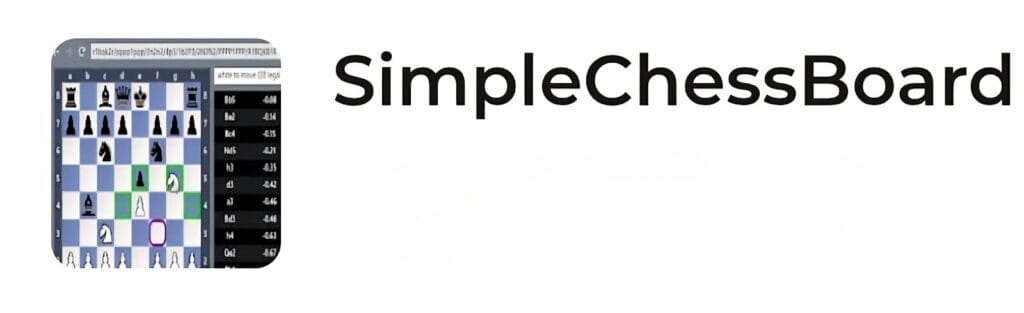
They are lightweight boards that help in setting up positions via FEN, playing through lines, and exporting positions. They’re minimal, quick, and low-permission, which is great when you only need to examine a position fast.
Why They Matter
Sometimes you don’t need heavy features, just a board to test a line or confirm a tactic. These extensions boot instantly and keep your workflow snappy.
10) Oakmate
What It Does
Oakmate plugs directly into websites like Chess.com and Lichess and gives you a detailed game breakdown after every match.
It highlights blunders, tracks your time usage, shows tactical misses, and displays your accuracy in a clean, readable dashboard.
It also stores your game history, so you can review patterns across openings, opponents, and time controls.
Why It Matters
Most players improve slowly because they don’t study their own mistakes. Oakmate fixes that with automatic post-game coaching.
It turns every game into a lesson, making your weaknesses obvious. If you want consistent improvement, this type of feedback is priceless.
How To Choose And Use These Extensions
- Define your goal: Are you: extracting book positions? Building an opening tree? Post-game engine review? Pick the tool that matches that task.
- Start small: Install one scanner (Chessvision) and one library tool (OpeningTree or PGN downloader). Add LiChess Tools only if you study on Lichess.
- Protect privacy: Browser extensions can access pages you visit. You should only use extensions with clear privacy policies and open-source projects when possible.
- Use engines sensibly: Engines point out lines, not plans. Use evaluations to guide study, not replace thinking.